DFW Airport is a huge airport with five operational terminals that have over 30 gates each. Each terminal has several security checkpoints. During peak hours and seasons, these checkpoints get really backed up. On top of that, with the airport undergoing construction and expansion, sometimes terminal access becomes limited further causing more complications with security checkpoints. Unless you have TSA PreCheck, you’re probably looking to spend a good while waiting to go through security during these busy times.
The most logical thing is to get dropped off at the security checkpoint closest to your gate. But sometimes the one closest to your gate has ridiculous wait times! And then you’re stressing out because you don’t want to be late for your flight! So know before you go on how to handle DFW Airport security wait times like a pro.
How to Know DFW Airport Security Wait Times
Fortunately, there are different ways to know DFW Airport security wait times so that you can make informed decisions to save time and not wait around.
Monitors
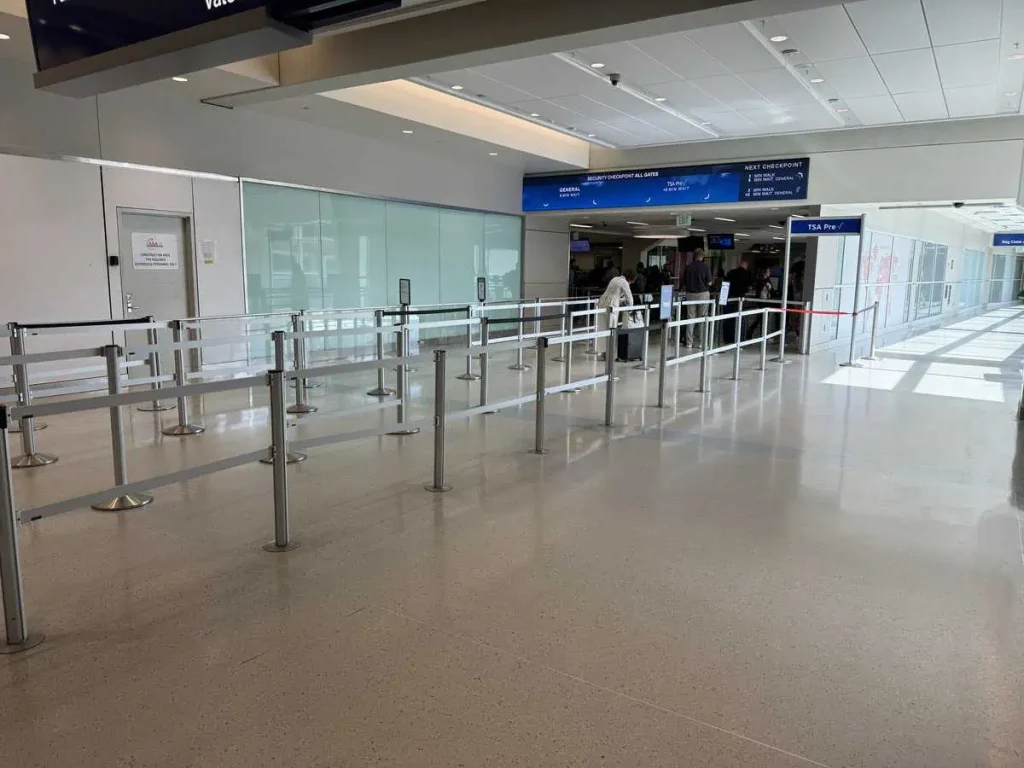
Most travelers traveling to DFW Airport probably have seen the monitors above most security checkpoints. These monitors provide the estimated wait times for each security line, whether General, Priority, and/or PreCheck.
There may be other monitors that point towards the other security checkpoints as well as their wait times. Sometimes it is worth the walk over to the next security checkpoint for a shorter wait time to go through security.
- Provides live wait times at current checkpoint
- Only provides feedback at current checkpoint (though some provide wait times for next checkpoint)
If I didn’t have time to look up wait times prior to me arriving at the airport, I usually look at the monitors.
MyTSA App
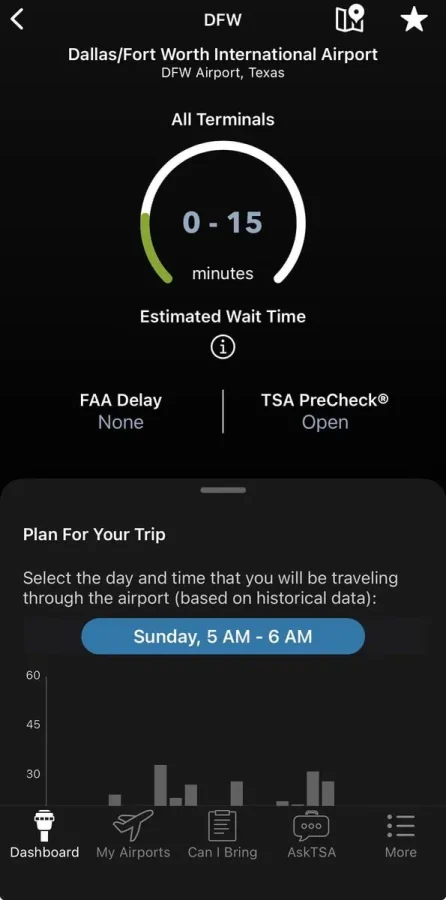
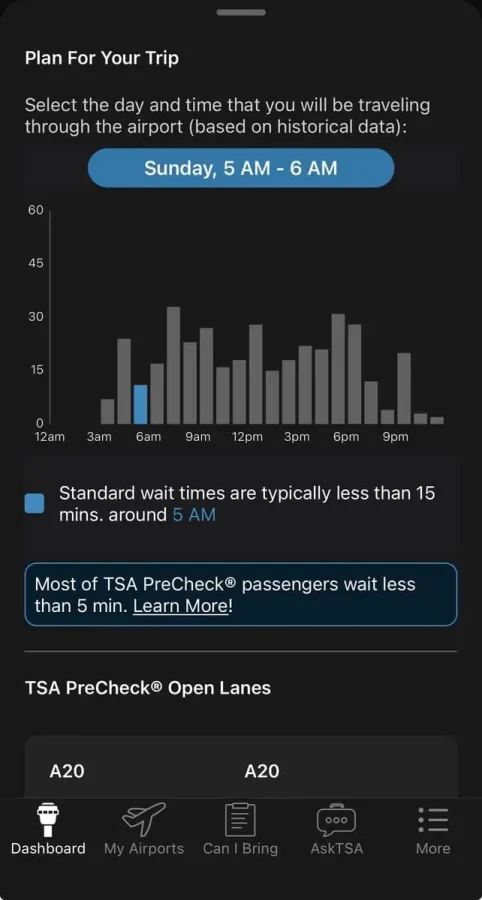
The MyTSA App is a good resource for understanding wait times at DFW Airport. Once DFW is selected, it will show current status and historical data from the day as a chart for wait times. The other nice thing is that the app also tells you which PreCheck lanes are open at what checkpoints.
- Provides trends and historical data–good for knowing what day/time to go
- Tells which PreCheck lines are open now
- App seems to have fast load times
- App also provides "Can I bring…" database and other useful resources for TSA
- Main graphical wait time is average for entire airport
I honestly don’t use the MyTSA App for anything. There’s a better resource for DFW Airport that I use, which I describe below.
Still interested in the MyTSA App though? Go here for links to the MyTSA App for your respective device.
DFW Airport Website/App
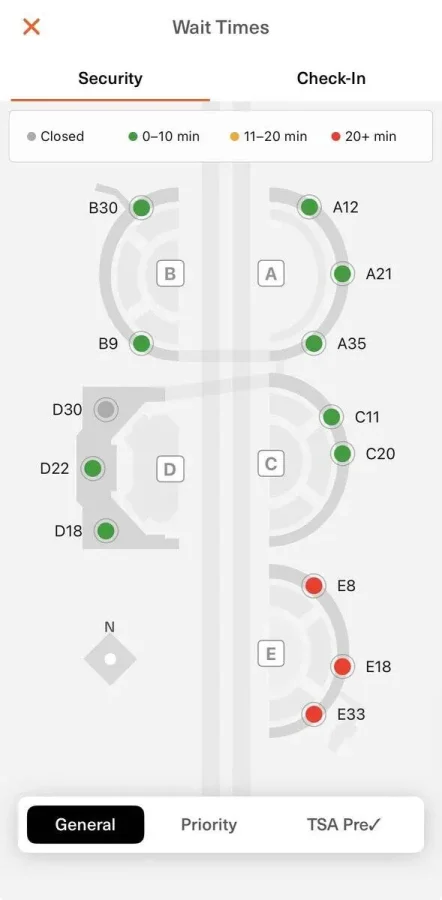
The website and app provide a map of the layout of the airport and gives you an easy view of the entire airport. The wait times are color-coded and filterable by the type of security checkpoint. On the app and website, there are the General, Priority, and TSA Precheck tabs as options.
- Shows a map of the entire airport and checkpoints with indicators
- Can adjust where you go if you look at this before arriving at the airport
- Doesn’t show historical data or trends–only shows the current status
In my opinion, this is the best way.

I like that it is live and an easy resource to access. Oftentimes I am either parking at the terminal or using some of the other parking lots that require shuttles, and looking at the website or app for wait times lets me choose which security checkpoint to head towards once I get dropped off.
Go here for the web version of the map of security wait times.
Other Airports with online security wait times
Of course, DFW isn’t the only airport that provides useful information about security wait times. However, in my brief research, DFW seems to have the best one.
JFK – gives wait times by terminal, but no map (on airport home page, click button for Security & Customs wait times)
EWR – gives wait times by terminal, but no map (same as JFK)
PHX – gives wait times by terminal and checkpoint, no map (scroll down on airport home page; reservation program available)
MIA – gives wait times by terminal and checkpoint, no map (might need to refresh webpage for updated info)
DEN – detailed info by checkpoint
ATL – gives approximate wait times and how many checkpoints open
DTW – gives wait times on home page
Strangely, the big airports on the west coast seam to hate the idea of providing estimated wait times. In the case of SEA, they’ll give you a blog post on how to have it not suck as bad. And for LAX, I avoid flying there for a domestic trip as much as possible because car traffic within the airport is often absolutely horrible.
Bottom Line
DFW Airport has several ways to know how long security wait times are, and the best method is using the app or website with the interactive map.